Analizar la accesibilidad de una página web con la consola de JavaScript

Analizar la accesibilidad de una página web con la consola de JavaScript

https://accesibilidadenlaweb.blogspot.com/

En Using the browser console for accessibility testing se explica cómo se puede usar la consola de JavaScript para analizar la accesibilidad de una página web.

Un ejemplo sencillo:

Here’s a simple script you can try first. It shows every link on the page as a NodeList in the console, which is useful for quick checks.

document.querySelectorAll(«a»);

Or you could highlight all links on the page:

document.querySelectorAll(«a»).forEach(a => a.style.outline = «2px solid red»);

Some people turn snippets like these into bookmarklets (small saved JavaScript actions). That can be useful, but for teaching and quick testing, the console is often easier. I explain why at the end of the article.
Un ejemplo de la primera regla de ARIA

Un ejemplo de la primera regla de ARIA

https://accesibilidadenlaweb.blogspot.com/

Un ejemplo de la primera regla de ARIA

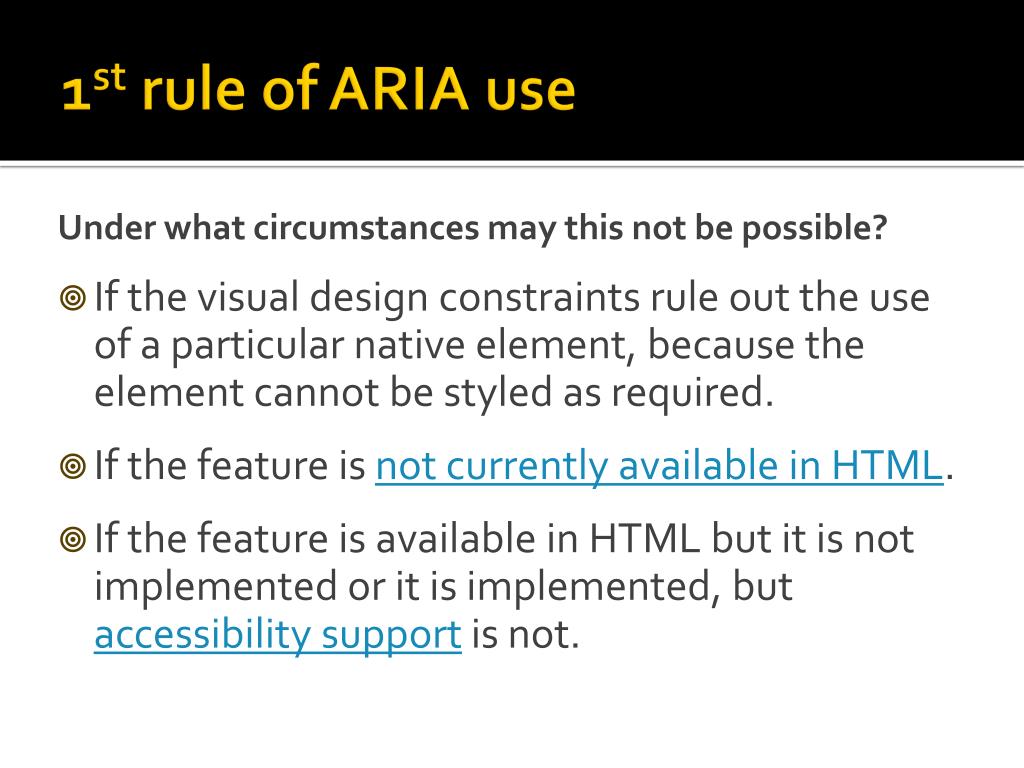
En I Learned The First Rule of ARIA the Hard Way explican un ejemplo real de violación de la primera regla de ARIA:

If you can use a native HTML element [HTML51] or attribute with the semantics and behavior you require already built in, instead of re-purposing an element and adding an ARIA role, state or property to make it accessible, then do so.

Accesibilidad en la Web: Actualización de WCAG 3.0

Accesibilidad en la Web: Actualización de WCAG 3.0

https://accesibilidadenlaweb.blogspot.com/

¿Qué es la Accesibilidad Web?

La accesibilidad Web significa que personas con algún tipo de discapacidad van a poder hacer uso de la Web. En concreto, al hablar de accesibilidad Web se está haciendo referencia a un diseño Web que va a permitir que estas personas puedan percibir, entender, navegar e interactuar con la Web, aportando a su vez contenidos. La accesibilidad Web también beneficia a otras personas, incluyendo personas de edad avanzada que han visto mermadas sus habilidad a consecuencia de la edad.

Introducción a la Accesibilidad Web, W3C

Texto alternativo en las imágenes de los artículos de la editorial Frontiers

Texto alternativo en las imágenes de los artículos de la editorial Frontiers

https://accesibilidadenlaweb.blogspot.com/

La editorial de revistas científicas Frontiers publica los artículos con texto alternativo en las imágenes. Si el autor no proporciona un texto alternativo, se emplea la inteligencia artificial para generar uno de forma automática.

En la guía para autores de Frontiers podemos leer la explicación Alternative text (alt text):

As part of our commitment to make science open for all, we are dedicated to accessibility in our publications. One way you can make your manuscript more accessible is by including alternative text (alt text) with all figures or images.

What is alt text?

Alt text is a short visual description of the contents of an image. Alt text is not the same as a caption, as it provides a description of the entire image. It is included in the manuscript alongside the image, but in the background, not visible on the page.

Good alt text will be specific, concise, and not overly descriptive. It should include any essential text or data that appears on the image and would be lost if a user couldn’t see it.

See Harvard University’s guide for more tips on writing good alt text.

Why is alt text important?

It allows people using screen reading technology to clearly understand the contents of an image, therefore making your manuscript more accessible for readers with visual impairments. This is also useful for anyone else who can’t view the image – if it doesn’t load quickly, for instance .

Alt text can also provide better descriptions to search engine crawlers, helping with article discoverability and indexing.

For more support, our partner AuthorMate offers an alt-text writing service.

Translate »